Point your iPhone at a receipt. ScanDaddy reads the merchant, total, and date, files it under the right IRS Schedule C line, and locks it in your Vault — without ever sending it anywhere.
No setup, no categories to build, no bookkeeping homework. The order below is the whole workflow.
Live receipt detection locks onto the paper and captures it in a tap — or fire through a stack in rapid mode. Have old ones? Import photos from your library or PDF receipts from Files.
Merchant, total, and date are extracted on your phone and filed into one of 15 IRS Schedule C categories. If a faded receipt is hard to read, ScanDaddy flags it for a five-second review instead of saving a guess.
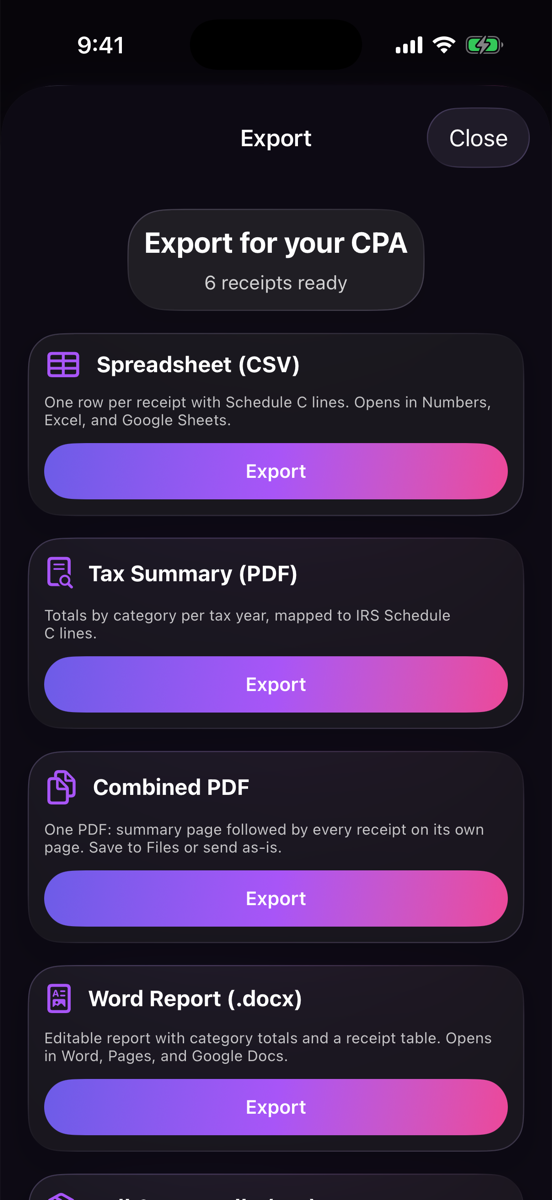
Export a spreadsheet, a one-file PDF with every receipt, an editable Word report, or a full ZIP bundle — every line already mapped to its Schedule C line number.
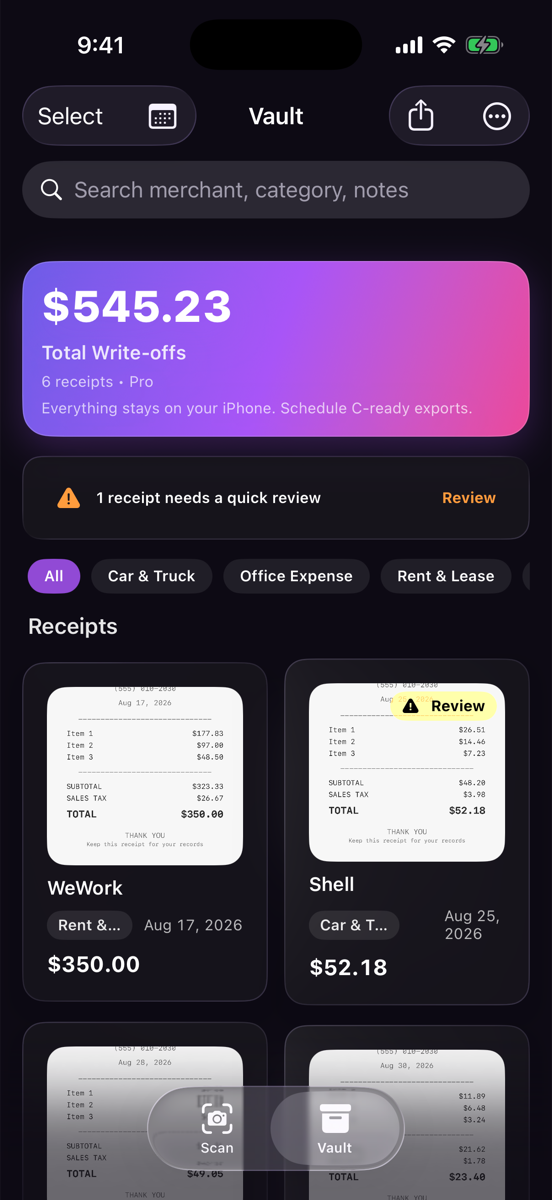
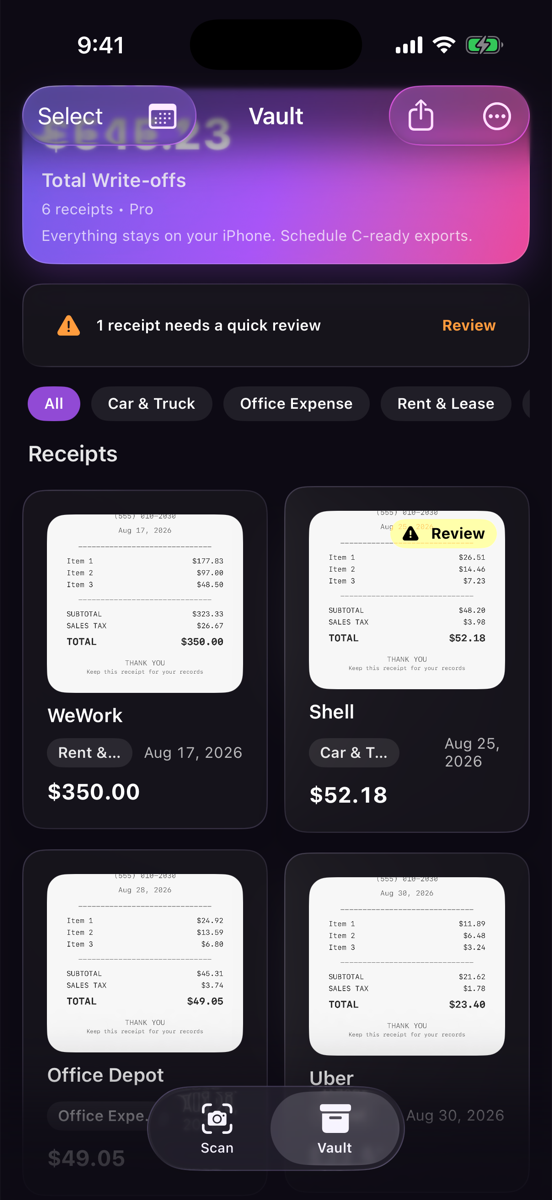
Search by merchant, category, or notes. Filter by category chips. Organize into drawers — Business, Personal, per-client — or don't; the Vault works either way.
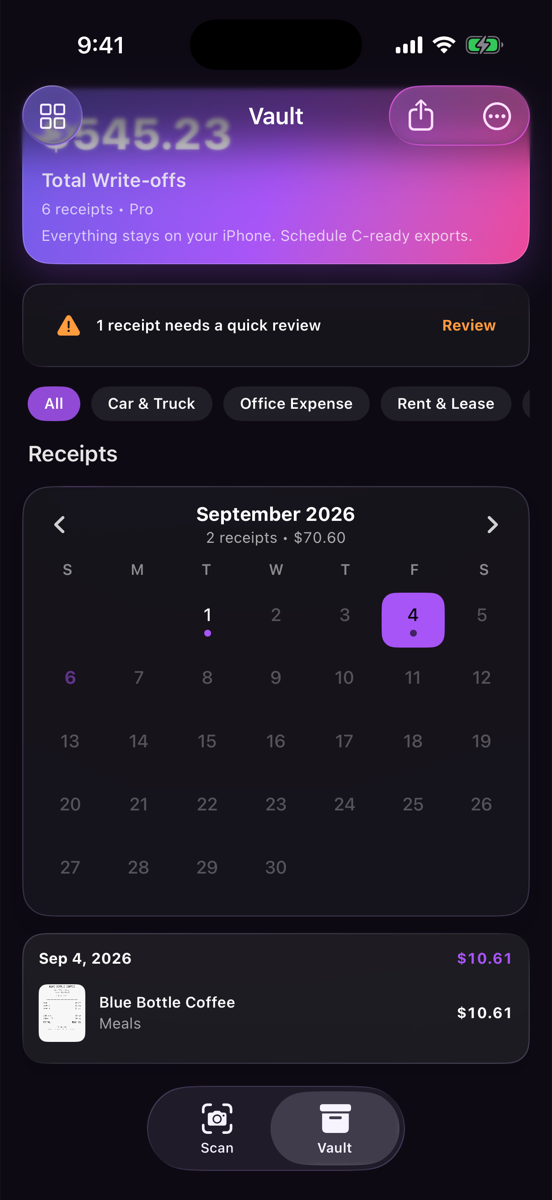
Every day with a receipt gets a dot. Tap a day for that day's spending; flip through months to spot the gaps before your accountant does. Dates come straight off the receipt — nothing to enter.
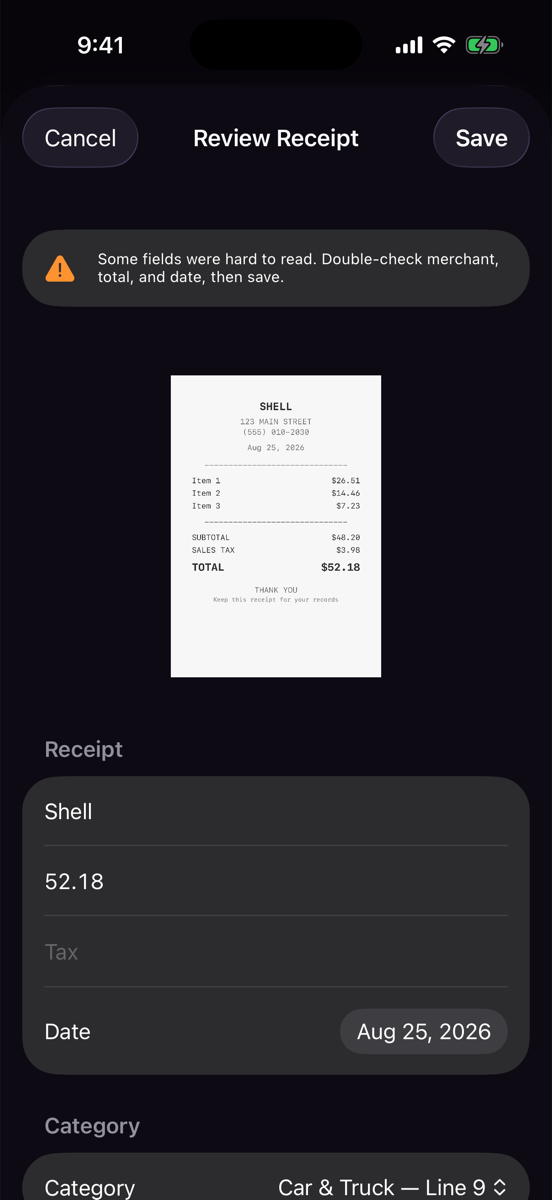
Thermal paper fades. Receipts get crumpled. Instead of quietly saving a wrong total, ScanDaddy flags low-confidence scans and drops you into a pre-filled review sheet. Fix a field, save, done.
Four formats, one tap each, all with Schedule C line numbers already attached. Save to Files, AirDrop it, or email it straight from the share sheet.
Scanning, text recognition, and categorization all run on your iPhone using Apple's on-device intelligence. There is no ScanDaddy server. No account to create, no bank to link, no receipt image uploaded to be "processed." Our App Store privacy label reads Data Not Collected — because there's nothing to collect.
Want a backup? Export one file and put it wherever you trust — iCloud Drive, a hard drive, your CPA's inbox. That's your call, not ours.
| ScanDaddy | Typical receipt apps | |
|---|---|---|
| Receipts processed | On your iPhone | On their servers |
| Account required | No | Yes |
| Bank login required | No | Often |
| App Store privacy label | Data Not Collected | Financial data collected |
| Price | $14.99 once | $10–20 every month |
Most apps sort expenses into "Food" and "Shopping," then leave you to translate. ScanDaddy's fifteen categories are Schedule C lines, and every export prints the line number next to the amount. Your CPA reads it without a decoder ring.
No subscription. No monthly fee creeping out of your bank account.
Compare that to $15–20 every month for apps that also want your bank login.
Completely. Scanning, text recognition, categorization, exports — all of it runs on your iPhone. Airplane mode changes nothing.
On your phone, in ScanDaddy's own storage. They're included in your normal iPhone backup, and you can export a standalone backup file any time and keep it wherever you like.
ScanDaddy still saves the image, but flags the receipt for review instead of guessing at the total. You'll see an orange badge in the Vault and a pre-filled edit sheet — correct the field, save, and the flag clears.
$14.99, once, through the App Store. It unlocks unlimited receipts, all export formats, and backup. There is no subscription tier and never will be one for these features.
That's who they're designed for. The CSV opens in any spreadsheet with a Schedule C line column; the combined PDF puts a summary page ahead of every receipt image; the Word report is editable; the ZIP bundle organizes per-receipt PDFs by category with an audit manifest.
Not yet. ScanDaddy is built on Apple's on-device intelligence, so iPhone comes first. Join the launch list and you'll hear about Android the moment there's news.
ScanDaddy is days away from the App Store. Leave your email and you'll get one message the moment it's live — nothing else, ever.